
Introduction
Credit cards have become an essential financial tool for online shopping, bill payments, and managing expenses. Among the many options available, the SBI Simply CLICK Credit Card application stands out as one of the easiest cards to get approved.
One major advantage of this card is the simple application process. In many cases, applicants do not need to submit income proof or complete a video KYC. If your credit score is good, the bank evaluates your profile and may approve the card quickly. The credit limit is also determined based on your credit score and will be shown during the application process.
This guide explains the charges, benefits, and the exact steps required to apply for the card online.
Scroll down to see the website link.
Table of Contents
Key Charges of the SBI SimplyCLICK Credit Card
Before applying, it is important to understand the basic fees associated with the card.
Annual and Renewal Charges
- Joining Fee: ₹500 + GST
- Annual Renewal Fee: ₹500 + GST
Amazon Gift Voucher Benefit
For many users who already have an account relationship with SBI, the bank provides a ₹500 Amazon gift voucher. This effectively covers the joining fee.
Renewal Benefit
If you spend ₹100,000 within the first year, you receive a ₹2,000 voucher reward. This makes the renewal fee worthwhile for active users.
Reward Points and Online Shopping Benefits
One of the biggest advantages of this card is the reward structure.
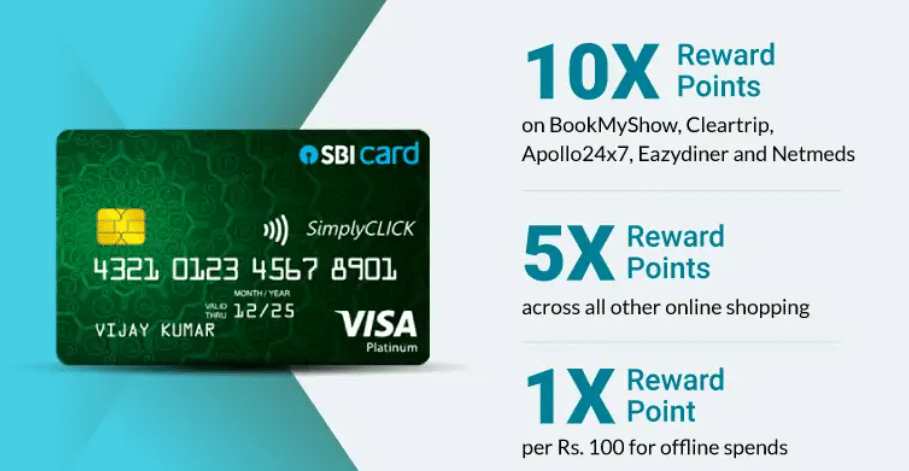
10X Reward Points on Partner Platforms
When you make payments on certain online platforms, you earn 10X reward points.
These points can later be converted into:
- Cash value
- Gift vouchers
- Shopping rewards
This makes the card particularly useful for frequent online shoppers.
Extra Discounts on E-Commerce Platforms
Using the SBI SimplyCLICK card on major platforms like
- Amazon
- Flipkart
often provides additional discounts and cashback offers, making it attractive for online purchases.
Step-by-Step Process to Apply for the SBI SimplyCLICK Credit Card
Below is the simplified online application process.
Step 1: Visit the Official Website
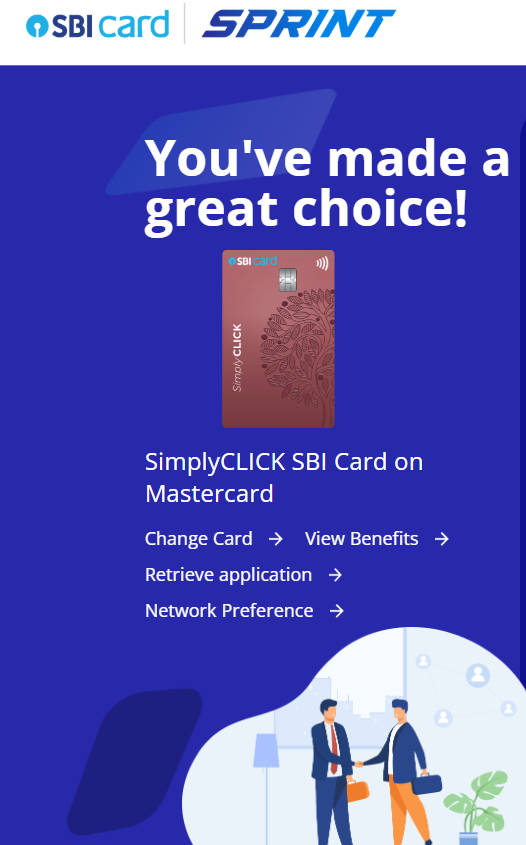
Open the official SBI Card website and click on “Start Application Journey.”
If you had already started the application earlier but did not finish it, you can click “Retrieve Application” to continue from where you stopped.
Step 2: Fill Personal Details
Enter the following information:
- First Name
- Middle Name (if applicable)
- Last Name
- Mobile Number
After entering the details, verify your mobile number using the OTP sent to your phone.
Step 3: Enter Location and PAN Details
You will then need to provide:
- City name
- PAN number
- Date of birth
After confirming these details, continue to the next section.
NIAB Hyderabad Recruitment 2026
Step 4: Additional Personal Information
You will be asked for:
- Mother’s name
- Email ID
- Referral code (optional)
After completing this section, proceed to professional details.
Step 5: Provide Professional Details
Choose the category that matches your situation:
- Salaried person
- Self-employed person
- Retired person
Retired applicants often have a lower approval chance. Most applicants should select either salaried or self-employed.
Then enter:
- Company name or business name
- Designation or profession
Click Continue to proceed.
Step 6: Enter Address Details
Provide your address. You can enter the same address used in your Aadhaar card.
This address will be used to deliver the physical credit card once approved.
If you want the card delivered to a different address, select “My address has changed” and update the new location.
Step 7: DigiLocker Verification
You will then verify your identity using DigiLocker.
Steps include:
- Enter your Aadhaar number
- Complete OTP verification
- Enter or create a DigiLocker PIN
This step confirms your identity digitally.
Step 8: Check Eligibility
After submitting the information, the system will check your eligibility.
Two outcomes are possible:
- Eligible: You can proceed with the application.
- Not eligible: The application process stops.
If eligible, click Continue to move to the KYC process.
Step 9: Complete Selfie Verification
You will be asked to take a selfie for identity verification. This replaces the need for video KYC.
Step 10: Link Your Bank Account
To verify your bank account, SBI performs a ₹1 verification transaction.
The process works like this:
- SBI sends ₹1 to your bank account.
- You send ₹1 back using UPI or net banking.
- This confirms your bank account ownership.
You will need to enter:
- Bank name
- Account number
- IFSC code
After receiving the ₹1 credit, send ₹1 back to complete verification.
Step 11: Choose Payment Method
You can return the ₹1 using the following:
- UPI
- Net banking
Once the payment is successful, your bank verification is completed.
Virtual Card and Delivery Timeline
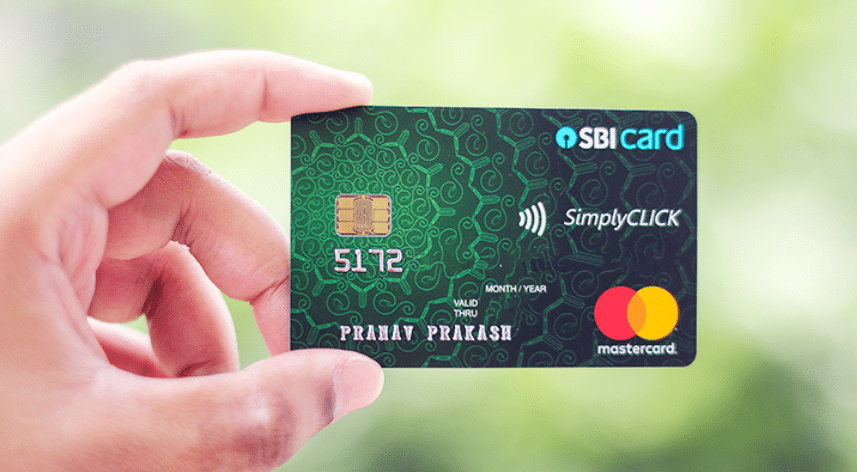
After completing the application, your virtual credit card will appear immediately on the screen with your name.
You will also see your approved credit limit.
The physical card will be delivered to your address within 5 to 7 working days.
If needed, you can click “Show CVV” to view the CVV of the virtual card and start using it online immediately.
Managing Your Card Using the SBI Card App
To manage your card efficiently, download the SBI Card app from the Play Store.
Log in using the same mobile number used during the application. Through the app, you can:
- Check credit limit
- View transactions
- Download statements
- Manage payments
Conclusion
The SBI SimplyCLICK Credit Card is designed for people who frequently shop online and want an easy approval process.
With minimal documentation, reward points, and extra discounts on platforms like Amazon and Flipkart, it can be a practical choice for regular digital purchases.
If you have a good credit score, the application process is straightforward and can be completed entirely online. Once approved, you can start using the virtual card immediately while waiting for the physical card to arrive.
If you still have questions about reward points or converting them into cash or vouchers, consider exploring SBI’s reward program in detail before applying.
Application Link Here









Leave a Comment